

Productivity isn’t about running yourself into the ground anymore; it’s about working smarter so you can actually enjoy your life. In our hyper-connected digital landscape, keeping track of tasks, project deadlines, calendars, and personal chores can make your brain feel like it has 50 tabs open all at once. Thankfully, the software ecosystem has evolved, transforming fragmented tools into smooth, connected experiences that let you stay organized without losing your sanity.
Whether you are a student pulling together midterms, a professional balancing competing priorities, a freelancer guarding client deadlines, or an entrepreneur trying to scale a vision, the right tools act as a second brain. They quietly eliminate the boring manual admin work, clean up messy team communication, and clear away the mental clutter so you can actually focus on what moves the needle.
By 2026, productivity ecosystems have fundamentally shifted. They aren’t just isolated buckets for your data anymore—they are intelligent partners fueled by cross-platform automation and cloud syncing. The goal here isn’t to download fifty different things and hope for a miracle. It’s about curating a small, intentional stack of reliable tools that click together beautifully. When you commit to a few great systems, the daily stress melts away, and the quality of your output naturally skyrockets.
Why We Desperately Need Smart Productivity Apps
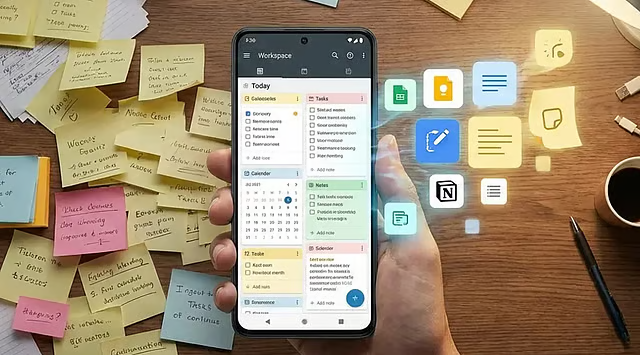
Every single day, an absolute avalanche of information fights for our attention—emails, unexpected pings, shifting deadlines, family commitments, and shared documents. Trying to store all of that in your head is a recipe for burnout and missed deadlines.
Modern organization systems give your mind a place to rest. They slice overwhelming projects into bite-sized, actionable steps, protect your records, and keep everyone on the same page. When you stop using your brain as a storage unit and start using it as a processing engine, you stop reacting to chaos and start controlling your day.
Productivity apps provide structure by organizing work into manageable pieces. They help users plan projects, track progress, store information securely, and communicate efficiently with colleagues or clients.
Rather than relying on memory alone, these tools allow users to focus their energy on meaningful work instead of constantly remembering small details.
The Core Ecosystem: Curating Your Daily Productivity Apps
Notion completely changed the game by proving you don’t need five different subscription platforms to get work done. Instead of bouncing between separate apps for notes, databases, spreadsheets, and tasks, it gives you a clean canvas to build whatever workflow makes sense to your brain.
What makes it stick: In 2026, the rise of “Agentic AI” within workspaces means you can point an autonomous helper at a massive project base, and it will fill out tracking columns, tag assets, and draft briefs while you grab a coffee.
From students building aesthetic study hubs to remote teams managing massive product launches, its block-based customization means the software molds to you—not the other way around.
Todoist Apps: Stripping the Noise from Task Management
When you just need to get a task out of your head before you forget it, Todoist is the absolute gold standard. It doesn’t overcomplicate things. You open it, type what you need to do using natural language (like “Review pitch deck every Friday at 4 PM”), and it instantly schedules it.
Its clean, lightweight design keeps you from feeling overwhelmed by your own to-do list. Whether you’re tracking small household errands or managing multi-stage client deliverables, its cross-device syncing ensures your priorities are always right in front of you exactly when you need them.
Instead of using separate applications for notes, project management, documents, and task lists, users can organize everything within one flexible platform.
Students use Notion for study planning, professionals manage projects, writers organize research, and businesses build knowledge bases for their teams.
Its customizable pages allow every user to create a workspace that matches their own workflow, making it suitable for both personal and professional organization.
Google Calendar Apps: Mastering Your Scattered Schedule
Time blocking is one of the most effective habits you can build, and Google Calendar remains the undisputed anchor of daily scheduling. It’s where your abstract goals meet the reality of a 24-hour day.
It’s a massive favorite for students capturing rapid-fire lectures and creatives mapping out brainstorming sessions. Because everything syncs perfectly to the cloud, you never have to worry about a sudden crash wiping out an afternoon of deep thinking.
By layering work meetings alongside personal appointments, workout blocks, and family events, you get a brutally honest look at your availability. Shared calendars take the friction out of coordinating with teams or partners, while color-coded categories let you audit exactly where your energy is going each week.
Trello Apps: Bringing Visual Clarity to Chaos
If lists make your eyes glaze over, Trello’s visual Kanban boards are a breath of fresh air. It treats your projects like digital sticky notes on a wall, letting you drag cards from “To Do” to “In Progress” to “Done.”
| Best Visual Uses | Why It Works |
| Content Calendars | Track an article from initial draft to final edit. |
| Team Sprints | See exactly who is working on what block at a glance. |
| Personal Projects | Organize home renovations, travel plans, or wedding details step-by-step. |
This visual simplicity gives you an instant, high-level snapshot of your project’s health without making you dig through endless text threads.
Slack Apps: Fostering Meaningful Team Communication
Unchecked email chains are where good ideas go to die. Slack fixes this by breaking team conversations into dedicated, searchable channels based on specific topics, projects, or departments.
If you prefer a digital canvas that feels more like an organic, free-form notebook, OneNote is incredibly liberating. Unlike rigid text editors, it lets you type anywhere on a page, drop in sketches, clip articles from the web, and embed audio files right next to your text.
It acts as the digital headquarters for remote and hybrid teams, reducing internal email clutter by a landslide. By integrating seamlessly with your other tools, it brings status alerts and file shares directly into your conversation streams, keeping everyone connected without the constant back-and-forth context switching.
Google Drive Apps: Anchoring Collaboration in Secure Cloud Storage
Real collaboration requires a single source of truth. Google Drive removes the ancient headache of emailing version-controlled documents back and forth (“Proposal_v2_FINAL_final.docx”).
Multiple teammates can jump into a document, spreadsheet, or presentation at the exact same moment, leave inline comments, and make edits in real-time. With cloud backups protecting your history, you can access your entire digital library from a phone, laptop, or tablet anywhere in the world with total peace of mind.
It is incredibly easy to fall into the trap of “productivity theater”—spending hours configuring complex tools instead of actually doing your work. The goal is to build a lean, functional system tailored specifically to your life.
Grammarly Apps: Polishing Your Written Communication
How you write is how you present yourself to the digital world. Grammarly acts like a sharp, supportive editor sitting right on your shoulder, catching embarrassing typos, fixing clunky phrasing, and tweaking your tone before you hit send.
Pick a few tools that naturally talk to one another, commit to them, and let them become second nature. Consistency beats a complicated setup every single time.
It doesn’t strip away your unique voice; it just ensures your emails, reports, and pitches land exactly the way you intended them to. For professionals, students, and creators alike, it’s a vital safety net for clear communication.
How AI-Driven Productivity Apps are Changing Everything

We have officially moved past the era of basic text generation. The conversation around artificial intelligence in modern workflows has shifted toward true automation and deeply integrated assistants.
- Smart Synthesis: Tools can now auto-summarize hour-long video transcripts into clear action items.
- Predictive Scheduling: AI engines look at your habits and automatically guard focus time on your calendar before you burn out.
- Administrative Relief: Repetitive chores like filing invoices, cleaning up database tags, and routing requests are handled entirely in the background.
The highly efficient professionals in 2026 aren’t fighting these changes; they are pairing classic organizational habits with smart automation to offload the busywork and free up room for deep, creative thinking.
Cultivating Sustainable Habits Alongside Your Productivity Apps
Here is the unfiltered truth: the most beautiful application in the world won’t save your day if you don’t back it up with healthy habits. Software is a powerful amplifier, but it still requires personal discipline to turn the gears.
- For the Student: Prioritize a flexible note-taking workspace (OneNote or Notion) paired with a foolproof task manager (Todoist).
- For the Freelancer: Focus on rock-solid time blocking (Google Calendar) and seamless client asset collaboration (Google Drive).
- For the Small Business: Lean heavily into transparent project tracking (Trello) and central team hubs (Slack).
True efficiency blossoms when you couple your digital tools with intentional routines—like taking ten minutes every evening to map out the next day’s top priorities, actively minimizing tabs during deep work blocks, and knowing when to close your screen to rest. Your tools are there to build boundaries and give you structure, helping you simplify your life rather than overcomplicate it.
Looking Ahead: The Evolution of Intelligent Productivity Apps
The horizon of software design is moving toward an invisible, frictionless user experience. We are rapidly approaching a reality where your tools will anticipate your needs before you even type them out—using predictive schedules, contextual history, and voice-activated control to keep you flowing effortlessly through your day.
Cloud ecosystems will keep breaking down physical barriers, allowing fluid, cross-border collaboration no matter where your team is sitting. Ultimately, these systems aren’t designed to turn us into unfeeling robots or replace our decision-making. They are building a world where the repetitive admin work disappears, giving us the freedom to focus entirely on the work that satisfies us most.
FAQ’S
1. What is the best productivity app in 2026?
Notion, Todoist, Google Calendar, and Trello are among the top productivity apps in 2026.
2. Are productivity apps free to use?
Many productivity apps offer free versions with optional premium features.
3. Which productivity app is best for students?
Notion, OneNote, and Google Calendar are excellent choices for students.
4. Can productivity apps improve time management?
Yes, they help organize tasks, set reminders, and manage schedules more efficiently.
5. Why should I use productivity apps?
They help you stay organized, save time, increase focus, and improve overall productivity.